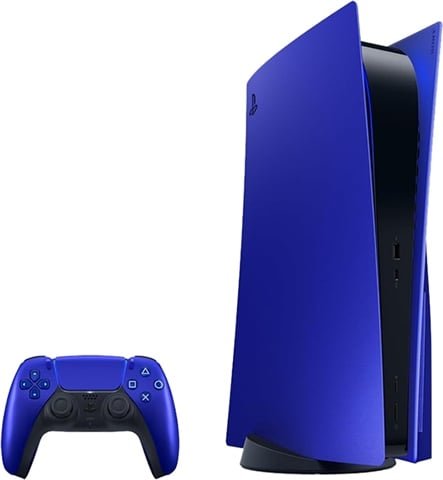
A PS5 that powers on but shows no signal on the TV does not automatically need a new HDMI port. The same symptom can come from the HDMI cable, television input, a physically damaged socket or circuitry on the console’s main board.
This guide explains the safest checks you can make before booking a repair and when a professional inspection is the better option.
First: rule out the simple HDMI problems
Try a different known-working HDMI cable and another HDMI input on the television or monitor. If possible, test the PS5 on a second display. A failed cable or TV port can produce the same no-signal message as a damaged console socket.
Avoid repeatedly forcing the plug into the PS5. If the connector feels unusually loose, sits at an angle or only works when the cable is held in a certain position, continued movement can make physical damage worse.
Signs the PS5 HDMI port may be damaged
- The HDMI plug feels loose inside the PS5.
- The port looks bent, pushed inward or visibly damaged.
- You can see bent or missing pins inside the socket.
- The picture cuts in and out when the cable moves.
- The console stopped displaying after the HDMI cable was pulled or knocked.
- A known-good cable and display still produce no picture.
These symptoms make a damaged connector more likely, but visual inspection alone cannot confirm that the HDMI port is the only fault. The surrounding circuitry can also be affected by impact or previous repair work.
When the fault may be deeper than the HDMI socket
If the HDMI connector looks intact but the PS5 still produces no image, the problem may be elsewhere in the display path. Board-level faults can produce a black screen or no signal even when the socket itself is mechanically sound.
This is why replacing the port without diagnosis is not always the best first step. A proper assessment should reproduce the fault, inspect the socket and check whether the signal path needs further testing.
Can a damaged PS5 HDMI port be repaired?
Many physically damaged HDMI sockets can be replaced when the board and surrounding pads remain repairable. The exact repair route depends on the condition of the connector, the PCB and whether additional display circuitry has failed.
Phone Shop Bristol can assess PS5 HDMI, no-display, power and selected board-level faults. See our PS5 repair Bristol page or our microsoldering and motherboard repair service.
PS5 no signal: quick checklist
- Try another HDMI cable.
- Try a different TV or monitor input.
- Test another display if available.
- Inspect the PS5 HDMI socket without inserting tools.
- Note whether the console shows a blue or white light.
- Tell the technician whether the problem followed a drop, impact or cable pull.
Book a PS5 assessment in Bristol
If the simple checks do not restore the picture, visit one of our Bristol stores. We operate from Union Street in the city centre and Gloucester Road in Bishopston. We explain the likely repair route and quote before approved chargeable work begins.
Phone Shop Bristol is an independent third-party repair business and is not an authorised Sony repair provider.
Frequently asked questions
Does no signal always mean a broken HDMI port?
No. Cable, display input and board-level faults can cause the same symptom, which is why diagnosis matters.
Is a PS5 HDMI repair covered by warranty?
Qualifying repair faults are covered under our published repair warranty terms. New physical, accidental or liquid damage is excluded.